
The response to a credential compromise has become almost muscle memory. An account gets phished, the alert fires, and within an hour someone has reset the password, revoked the active sessions in Entra ID, pulled the inbox rules the attacker created, run an endpoint sweep, and checked the sign in logs for anything else coming from that same address in Lagos or Ho Chi Minh City. If the environment is well run, the whole thing closes inside two days with a short summary for the client and a note about retraining the user.
That work is necessary. It is also, in a growing number of cases, incomplete in a way that nobody notices until much later.
The reason is simple. Incident response still tends to treat the compromise as a problem located in a device or a directory object. We ask what the attacker did on the laptop and what the attacker did inside the tenant. We rarely ask the harder question, which is what that single set of credentials actually opened across the rest of the business. And in most mid market environments I work with, the identity provider covers maybe sixty percent of the software people touch every day. The rest sits outside single sign on, authenticated by a password the user chose, and in a depressing number of cases that is the same password now sitting in an attacker's notes.
The Estate You Cannot See from the Admin Center
Every organization I have assessed in the last three years has a longer application list than its leadership believes. Marketing has a design platform. Finance has a spend analytics tool that was never brought to IT. A project manager signed up for a transcription service with a company email address and a personal credit card. None of that shows up in the Entra enterprise applications list, because none of it federates. When you reset the compromised password, you have secured the front door and left a dozen side entrances untouched, each one holding contracts, financial models, client lists, and internal correspondence.
Session handling makes this worse. A password reset does not, on its own, invalidate an existing session in most software as a service platforms. Refresh tokens and browser cookies frequently survive the reset, which means an attacker who established a session two days ago can keep reading long after the ticket is marked resolved. Very few response checklists include an explicit session revocation step for anything other than Microsoft 365.
Why the AI Accounts Are Now the Richest Targets
Here is where I think the industry is genuinely behind. The most valuable account in a compromised user's collection is no longer the file share and it is no longer the CRM. It is the AI assistant.
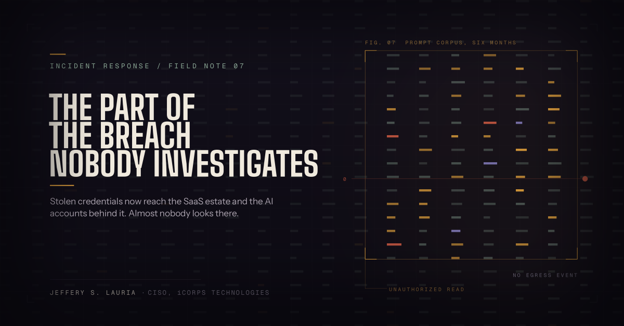
Think about what a prompt history actually contains. An employee does not paste tidy, sanitized questions into ChatGPT or Claude. They paste the merger memo they were asked to summarize, the source code they could not get working, the client contract they wanted rewritten in plainer language, the payroll spreadsheet they needed pivoted, the incident notes they were struggling to turn into a customer communication. Six months of that history is an organized, searchable, already summarized record of the most sensitive material that person touched all year. No attacker has to sift a terabyte file server for something interesting. The interesting material has been pre-selected by the victim and indexed by the vendor.
It gets deeper than conversation text. Projects and custom assistants hold uploaded reference documents, which is where people park the policy manual, the rate card, and the standard operating procedures. Memory features carry forward personal and organizational detail across sessions. Connectors, which are now common on the paid tiers, link the assistant directly into SharePoint, Google Drive, GitHub, and internal ticketing systems, so an attacker sitting in the chat window can pull live data from systems that would otherwise require their own authentication. API keys generated inside those workspaces often persist independently of the user password entirely, which means rotating the password accomplishes nothing at all.
The economics favor the attacker in an ugly way. Reading someone's chat history produces no endpoint telemetry, no lateral movement inside your network, no unusual egress from your firewall, and no file access events in your Microsoft 365 audit log. It happens in a browser somewhere else in the world, against infrastructure you do not own, using a credential that looks valid. Unless you go looking specifically, you will never know it happened.
The Visibility Problem is a Licensing Problem
This is the part that frustrates me most, because it is fixable and almost nobody has fixed it.
If your staff are using personal Plus or Pro accounts registered to corporate email addresses, you have no administrative control, no audit trail, no session revocation, and no legal claim to the data in those workspaces. You cannot tell counsel whether the attacker read anything, because you have no way to ask. During an investigation that is a very bad sentence to have to write.
The enterprise tiers change that materially. OpenAI's Compliance Logs Platform gives ChatGPT Enterprise and Edu workspaces immutable, append only records covering conversations, uploaded files, workspace configurations, memories, admin actions, and authentication events, delivered as JSONL for ingestion into a SIEM or eDiscovery platform. Anthropic's Compliance API exposes a comparable activity feed for Claude Enterprise, with event types such as sso_login_succeeded, claude_chat_viewed, and admin_api_key_created, each carrying actor email, user identifier, source IP, and user agent. Both vendors support domain capture or domain verification, which lets you pull existing accounts created on your email domain into a workspace you actually govern, along with SAML single sign on and SCIM for provisioning and, more importantly, for immediate deprovisioning.
None of that is free. Claude Enterprise starts around twenty dollars per seat per month with usage billed separately and a twenty seat minimum, and OpenAI's enterprise pricing is a sales conversation. I am generally skeptical of paying a premium for security features that ought to ship in the base product, and I will say plainly that the industry practice of gating audit logging behind the top tier is a bad one. But I would still buy it. The alternative is telling a client during a breach that you cannot determine what was accessed, and that answer costs far more than the license.
What to Change in the Playbook
Start with the inventory, because everything else depends on it. You need a current list of every application that holds company data, which authentication method each one uses, and who the owner is. Anything authenticating with a local password rather than your identity provider goes on a remediation list with a date next to it.
Then rewrite the credential compromise procedure so that it names the AI platforms explicitly rather than burying them under a generic line about third party applications. When an account is compromised, the responder should preserve the conversation history before doing anything else, because an attacker with access can delete conversations and destroy the only evidence you were going to get. After preservation, revoke sessions rather than trusting the password reset, rotate any API keys issued from that workspace, review the connector list for anything newly authorized, and check whether the recovery email address or multifactor method on the account was quietly changed. Then pull the authentication events for that user and compare source addresses against the ones you already flagged in the tenant.
Finally, tell counsel what you found in that history. If the prompt log contained protected health information, personal data, or controlled unclassified information, an attacker reading it may be a notifiable event under whatever regime applies to that client. That determination is not the security teams to make alone, but the security team is the only one positioned to surface it, and it needs to happen during the investigation rather than six weeks later.
The scope of a breach is defined by what the stolen credential reached, not by which laptop happened to be infected. Until incident response reflects that, we will keep closing tickets on compromises we only partly understand.
Meet with the iCorps team to assess your current environment, identify opportunities, and build a practical path forward.

.png?width=352&name=QR%20Code%20Email%20Scam%20(1).png)